


Inside SWT Evolve: Modernizing NatTable with Zero Changes to Your Grid Code
Emiliana Girardi on July 27th 2026
NatTable is one of the most widely used grid components in the Eclipse RCP ecosystem. It is fast, feature-rich, and deeply customizable — and it is also one of the most demanding components to support when modernizing SWT applications with SWT Evolve and its Flutter rendering. Getting NatTable to render correctly in SWT Evolve was a significant milestone, and the way it ended up working reveals a lot about the strengths of our GC implementation.
NatTable is not a collection of widgets. It is a single Canvas subclass that draws its entire visual surface imperatively using SWT's GC. There are no child rendering controls for cells, headers, or rows — everything visible on screen, from cell backgrounds and text to grid lines, selection overlays, and custom decorations, is produced by GC calls issued during an SWT.Paint event. This makes NatTable fundamentally different from a standard widget hierarchy: there is nothing to compose, no widget tree to traverse, just a sequence of drawing operations executed against a graphics context each time the canvas needs to be repainted.
This is, in a sense, the most demanding scenario for any GC implementation. A typical NatTable grid with 600 visible cells issues somewhere between 2,500 and 3,000 drawing operations per frame. Each cell drives a sequence of state changes ( setBackground, setForeground, setFont, setClipping ) followed by the actual draw calls: fillRectangle for the cell background, drawText for the content, drawLine for the borders. Cells that render images — including checkboxes, which NatTable draws via drawImage using a pre-rendered SWT Image — add image operations into the mix. Grid lines, selection highlights, and overlays layer on top. NatTable's paint model is intentionally low-level and explicit, which is exactly what gives it its performance characteristics in a native environment — and exactly what makes it a rigorous test for our rendering layer.
Modern Rendering Under the Hood
The key insight that makes NatTable fast in Flutter is that our GC implementation maps directly onto Flutter's GPU-accelerated rendering engine. NatTable registers itself as a PaintListener and, when a SWT.Paint event fires, it calls its internal layer stack painters — background layers, cell renderers, border painters, overlays — all through the GC it receives in the PaintEvent. Each of those draw operations ends up executed through Flutter's CustomPainter, which gives us direct access to the same low-level Canvas primitives that power Flutter's native rendering. The result is rendering that runs through Flutter's own GPU-accelerated graphics engine — Skia or Impeller — the same engine that powers Flutter's native UI on every platform, including the web. NatTable's grid lines are sharp, its text is properly anti-aliased, and its rendering is consistent across operating systems — something that was never guaranteed with native SWT, where platform-specific quirks in GDI, GTK, Cairo, or Quartz could produce subtly different results.
Equally important is that this speed is preserved without ever showing a partially painted frame. As NatTable paints, each draw operation travels to Flutter in real time. Flutter receives and accumulates these operations as they arrive. However, the visual output only updates once Flutter composes a frame. Until then, the previous frame stays on screen unchanged. There is never a flash, a blank canvas, or a partially drawn grid — the visual experience is smooth and flicker-free even during rapid redraws or resizes.
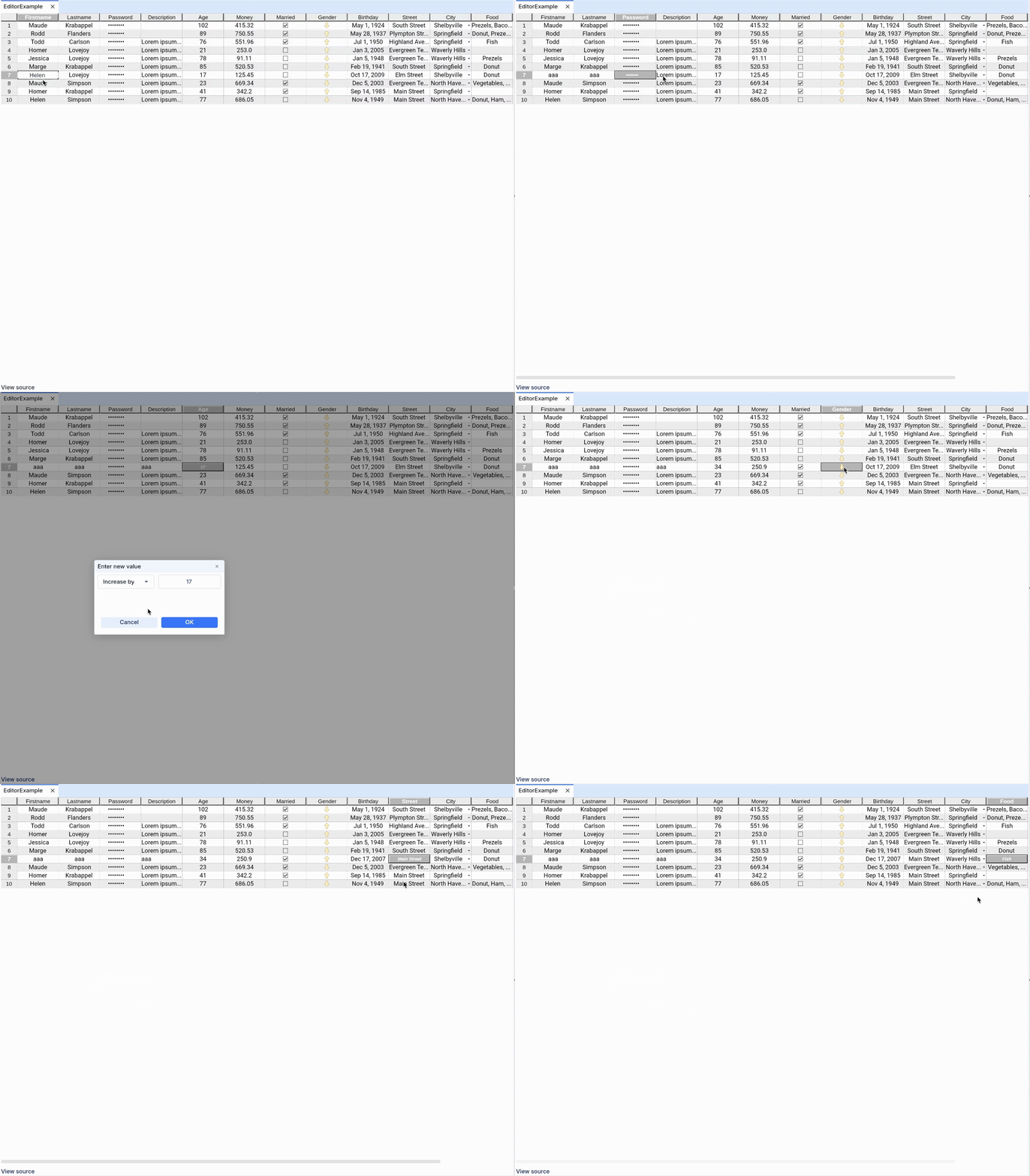
Beyond the Canvas: Cell Editing
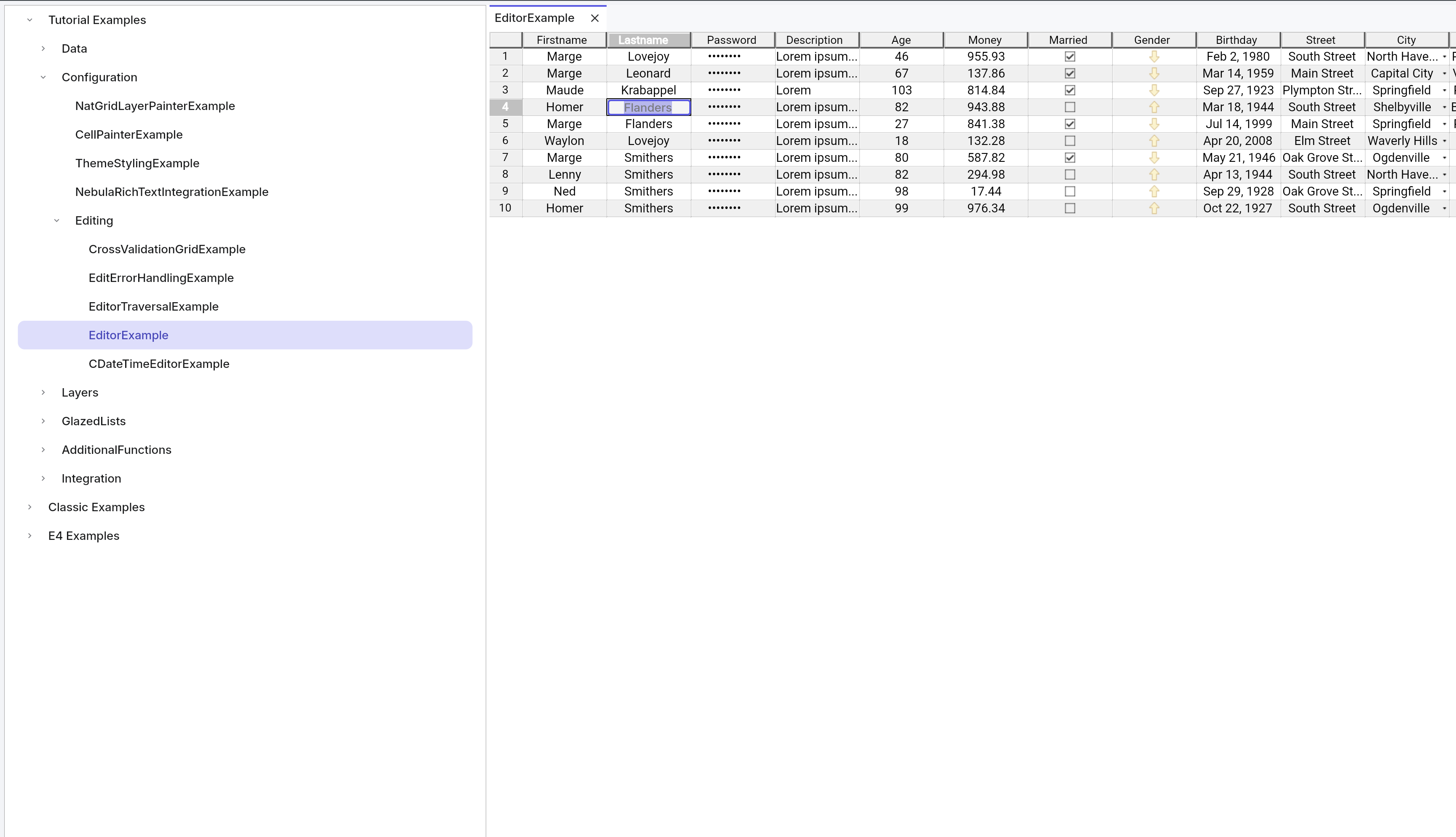
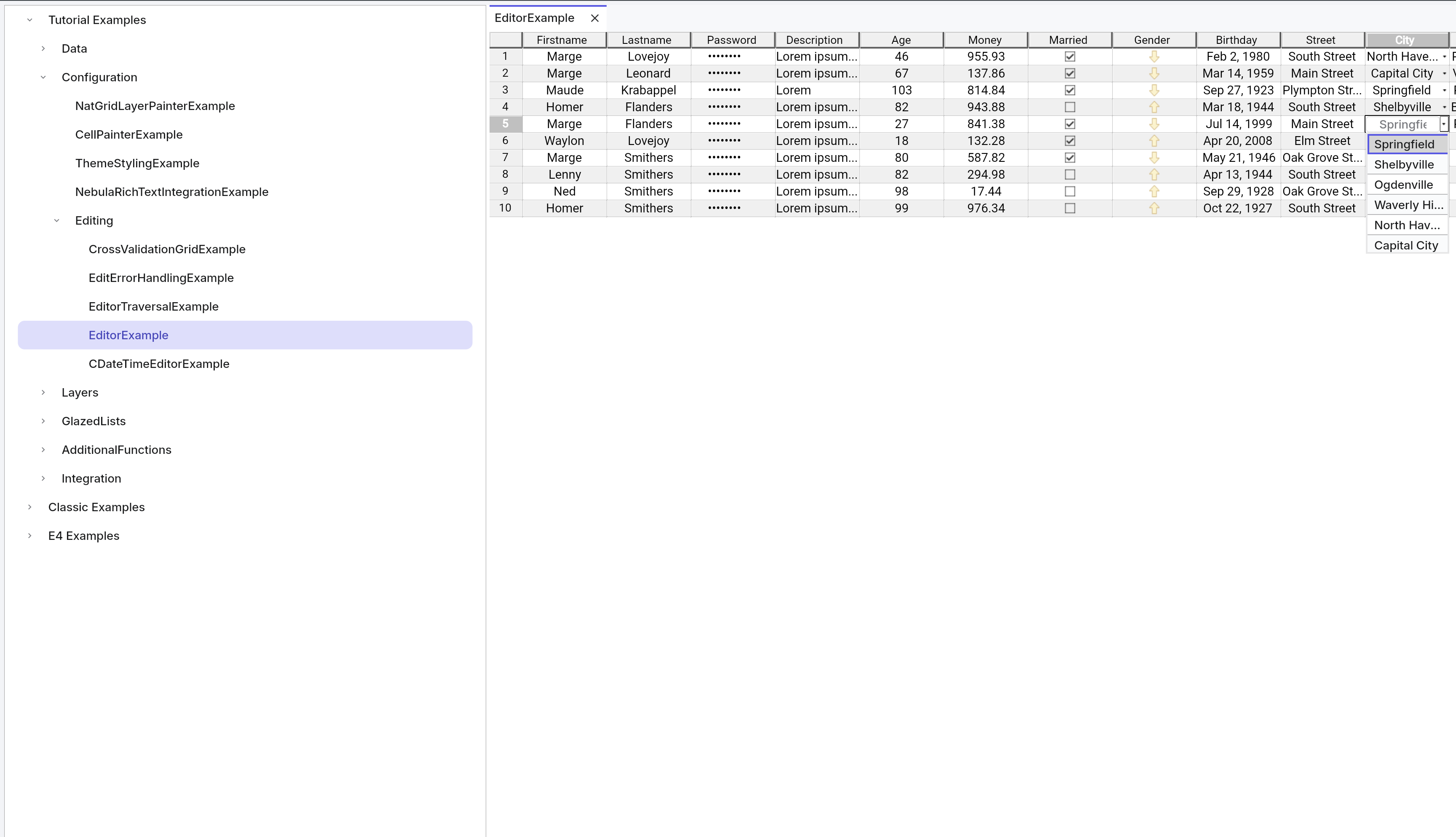
One of the fundamental challenges in this implementation was cell editing. It might seem like a secondary concern, but in practice, it is where the complexity concentrates. Editing in NatTable is not a GC operation — it is a full SWT widget lifecycle. When a user clicks a cell, NatTable's internal event handler dispatches an EditCellCommand through the layer stack, which reaches EditController.editCell and activates the appropriate ICellEditor. The editor creates a real SWT control as a direct child of the NatTable Canvas — a Text widget for text editing, a NatCombo for dropdown selection. Even checkbox cells, which are drawn via GC during normal rendering, activate a real SWT Canvas during editing that toggles the value and immediately commits. These are genuine SWT widgets, not GC-drawn artifacts. Because SWT Evolve has fully reimplemented the entire SWT widget set in Flutter, these editor controls arrive as real Flutter widgets with full interaction semantics: focus management, keyboard input, accessibility, copy and paste. The NatCombo editor is itself a plain SWT Composite containing a Text and a List — it works in Flutter not because of any NatTable-specific handling, but simply because those widget types are already part of our implementation.
The editor widget is positioned at the exact pixel bounds provided by setBounds, floating directly over the GC-painted cell it belongs to. When the user commits the edit, AbstractCellEditor.commit reads the value, fires an UpdateDataCommand into the NatTable layer stack to update the backing model, and closes the editor control. NatTable then fires a redraw, a new SWT.Paint event runs, and the cell repaints with the updated value through the normal GC path.
The outcome is that NatTable works in Flutter without a single line of NatTable-specific code, and with all of its functionality intact. The grid renders because our GC implementation is correct and maps faithfully onto a GPU-accelerated engine. Checkboxes display correctly because drawImage is fully supported, and they remain editable through the standard ICellEditor path. Column and row resizing works because mouse events reach NatTable's layer stack with the same semantics they have on native SWT. Inline text editors, dropdown combos, and multi-line dialogs all work because our SWT widget implementation is complete. The visual result is a crisp, HiDPI-aware, anti-aliased grid that runs on every platform Flutter supports — including the web — while the NatTable application code remains exactly as it was.
Text Field
NatCombo
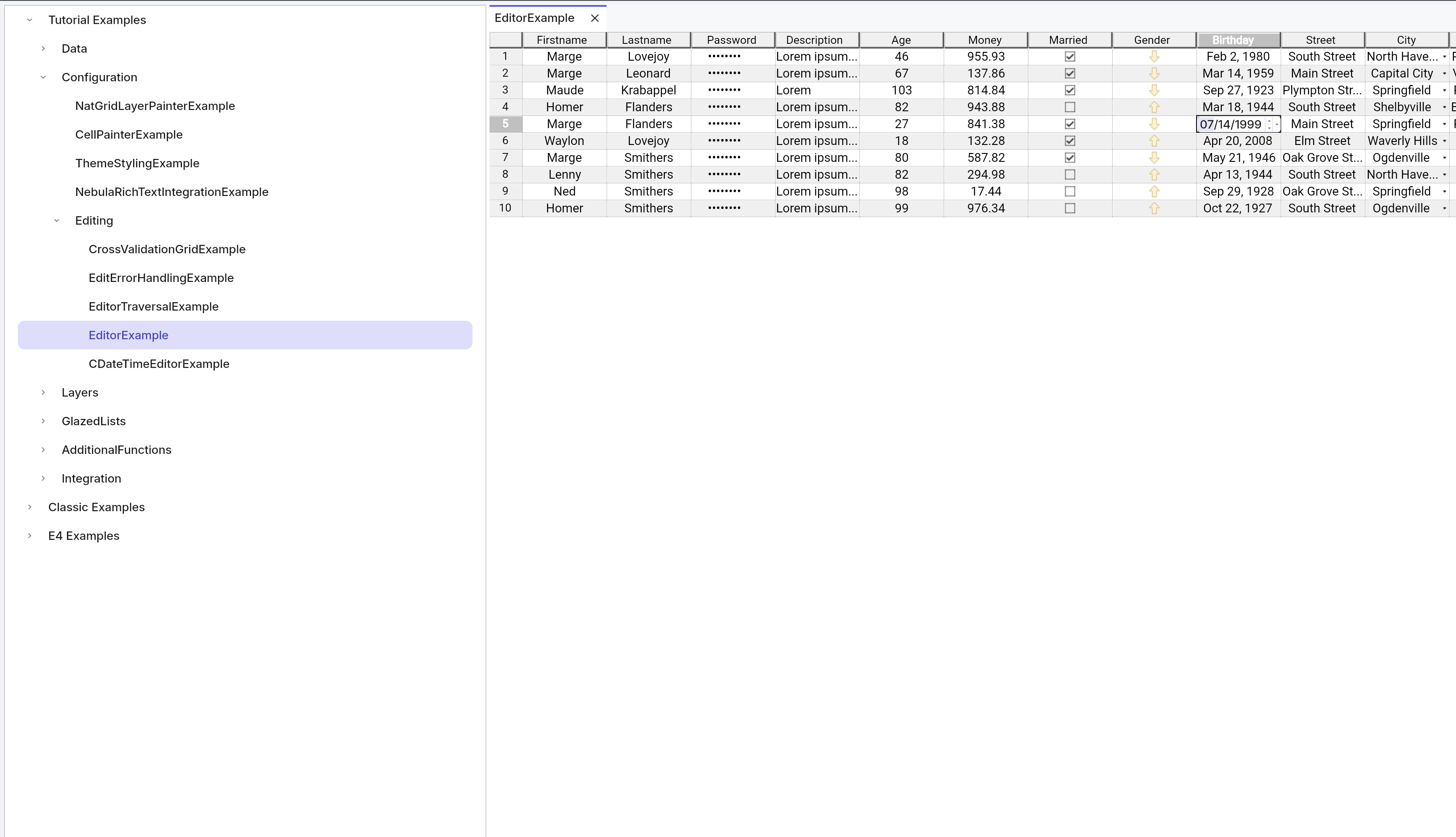
NatDate
The Modernization Path
For teams with large Eclipse RCP deployments built around NatTable, this matters enormously. NatTable grids are often the central surface of data-intensive business applications, carrying years of customization: custom ILayerPainter implementations, conditional ICellPainter styles, composite layer configurations, bespoke ICellEditor integrations. When those teams evaluate a migration to a more modern web stack, NatTable is frequently one of the hardest problems to answer. The component is deeply capable — sorting, filtering, grouping, inline editing, conditional rendering, custom overlays — and most web-native grid alternatives simply do not cover the same surface area. Teams either accept a significant feature regression or face a costly rewrite of that layer from scratch. With SWT Evolve, that question disappears. All of that functionality works as-is, without touching a single line of NatTable code, because the full rendering and interaction model is preserved through our GC and SWT widget implementation.
If you want to see this in practice, we have a NatTable example application you can try directly — it demonstrates the full rendering and interaction model running in Flutter, including editing, sorting, filtering, and custom cell styles. You can find it in our GitHub repository.
Want to see more? Dive deeper into SWT Evolve, visiting our website and GitHub repository, or contacting us to schedule a modernization discussion.